How a training centre runs on BARITA.
Know early which courses will run. Certificates and company invoices without the paperwork.
The setting: Short professional courses, four rooms, fifteen freelance trainers.
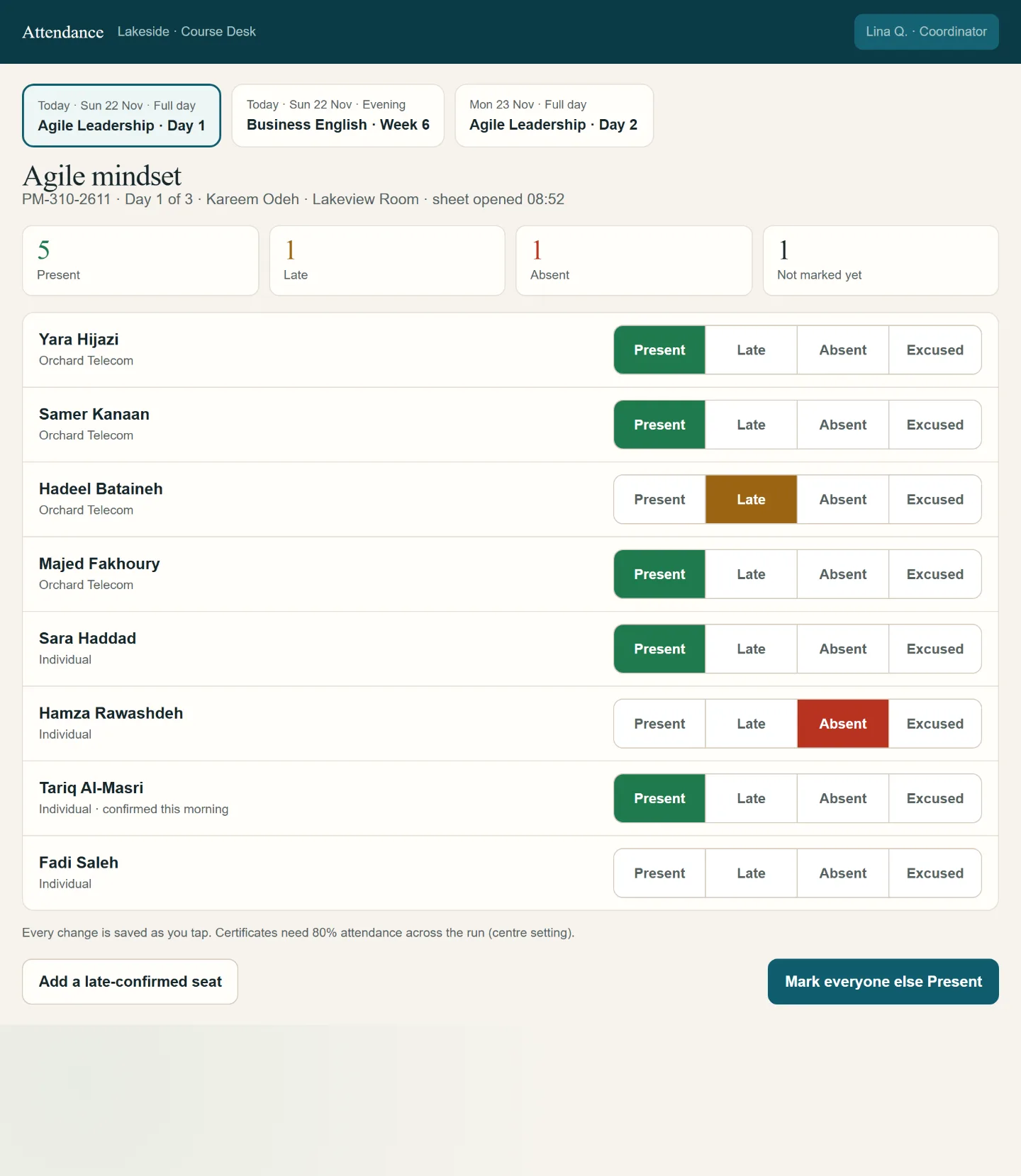
It started with one simple request.
“We run a training centre with short professional courses, from three-day workshops to eight-week programmes, for individuals and for company groups. We plan the course calendar in a spreadsheet, take registrations by phone and email, book freelance trainers and rooms by hand, and issue certificates in a word processor. …”
Read the whole request
We run a training centre with short professional courses, from three-day workshops to eight-week programmes, for individuals and for company groups. We plan the course calendar in a spreadsheet, take registrations by phone and email, book freelance trainers and rooms by hand, and issue certificates in a word processor. Companies ask for invoices for their staff, and we often don't know if a course has enough people to run until the last minute. I want to manage the course calendar, registrations and payments, trainers and rooms, attendance and certificates, company clients and their invoices, and see which courses fill up and which make money.
What gets in the way.
Nobody knew until the last minute whether a course had enough people.
Registrations came by phone and email, trainers and rooms were booked by hand.
Certificates were typed one by one, and companies asked for invoices.
No view of which courses fill up and which pay their way.
Watch the crew take it on.
We run a training centre with short professional courses, from three-day workshops to eight-week programmes, for individuals and for company groups. We plan the course calendar in a spreadsheet, take registrations by phone and email, book freelance trainers and rooms by hand, and issue certificates in a word processor. Companies ask for invoices for their staff, and we often don't know if a course has enough people to run until the last minute. I want to manage the course calendar, registrations and payments, trainers and rooms, attendance and certificates, company clients and their invoices, and see which courses fill up and which make money.
The request as it was typed.
The requestTell me early which courses will run
The work appears here
How each one is removed.
Nobody knew until the last minute whether a course had enough people.
Each run shows its seats against its minimum, and a run at risk is raised days before the decision.
A routine that runs by itself
Registrations came by phone and email, trainers and rooms were booked by hand.
One course calendar holds registrations, payments, trainers and rooms.
The app the crew designed
Certificates were typed one by one, and companies asked for invoices.
Certificates follow from the attendance register, and company bookings carry their invoices.
The app the crew designed
No view of which courses fill up and which pay their way.
Fill and margin by course on one page.
A dashboard for the owner
What this takes off your plate.
No last-minute surprises
Each course shows how full it is against the number it needs, so the decision to run it is made early, not on the morning.
Certificates without retyping
Attendance is taken once per session, and the certificate list follows from it.
Company bookings and invoices together
A company's staff, courses and invoices sit on one page, so nobody rebuilds an invoice from emails.
Read next
Family medicine clinic
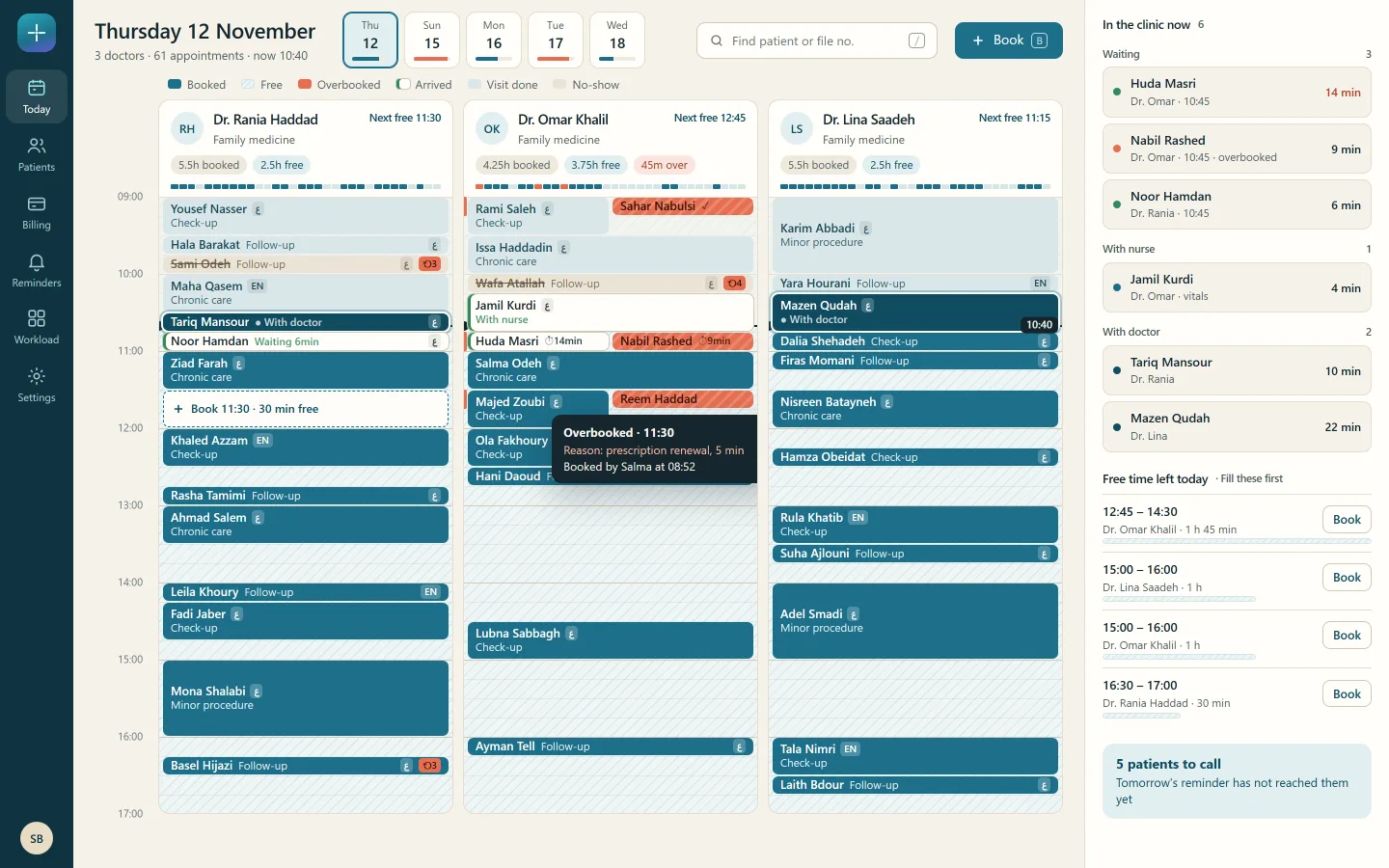
A day with no crowded hours next to empty ones. Fewer missed appointments. No guessing at the payment desk.
Some hours were overbooked while others stayed empty, no-shows were costly, and nobody was sure what the insurer covers. The crew designed one app for the front desk, the nurses, the doctors and the owner, in English and Arabic.
Your turn. One message is enough to start.
Say what your business needs in your own words. The crew plans it, shows you the screens, and builds once you agree.